

{{wikiTitle}}
创建新的页面
复制链接
编辑文档
新建一个页面的流程
一. 在原来的文件夹中添加一个新的页面:
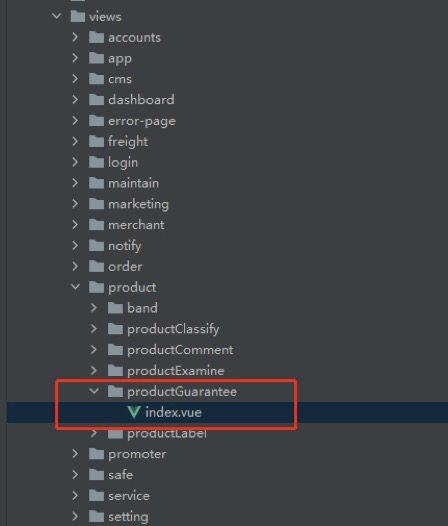
比如在product文件夹下新建一个商品保障服务的页面productGuarantee
- 首先在views目录下的product文件夹下面新建一个文件夹productGuarantee,再在该文件夹下新建一个index.vue文件
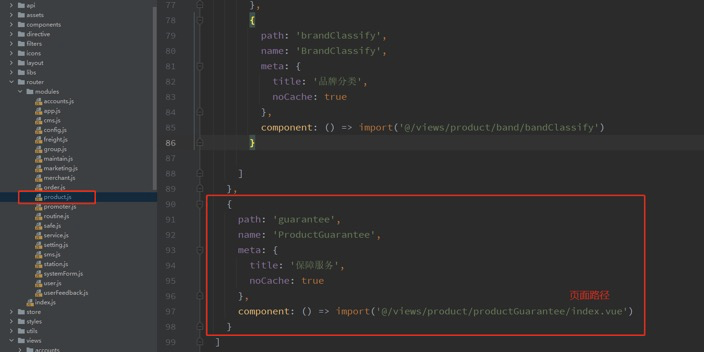
- 然后找到router文件夹下moudles下的product.js文件,在该文件下面加入你新加的页面要跳转的链接和页面地址
{
  path: 'guarantee',
    name: 'ProductGuarantee',
  meta: {
  title: '保障服务',
    noCache: true
  },
  component: () => import('@/views/product/productGuarantee/index.vue')
}
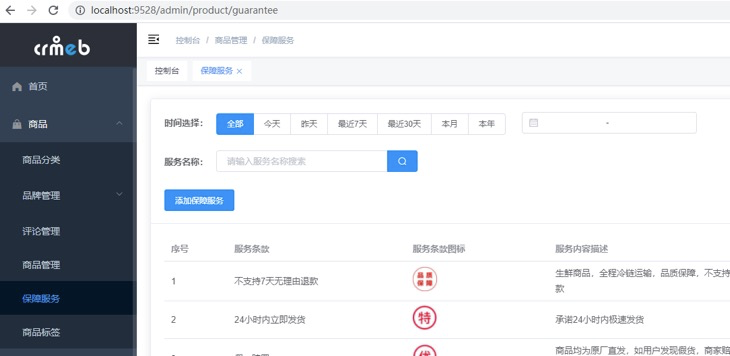
二. 在views下面添加新的文件夹,并添加新的页面,比如现在在views下面添加一个station文件夹
- 首先在views下新建station文件夹,并在station下新建notice文件夹和Index.vue文件
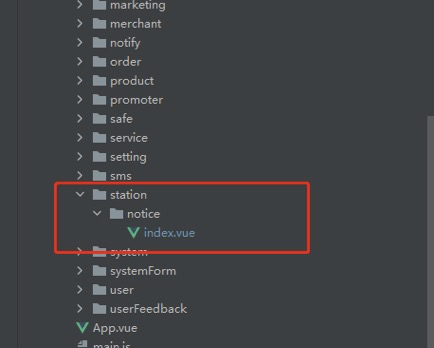
- 然后在router文件夹下的moudles文件夹下新建station.js,声明stationRouter然后导出
import Layout from '@/layout'
import { roterPre } from '@/settings'
const stationRouter  =
  {
    path: `${roterPre}/station`,
    name: 'station',
    meta: {
      icon: '',
      title: '公告列表'
    },
    alwaysShow: true,
    component: Layout,
    children: [
      {
        path: 'notice',
        name: 'stationNotice',
        meta: {
          title: '公告列表'
        },
        component: () => import('@/views/station/notice/index')
      }
    ]
  }
export default stationRouter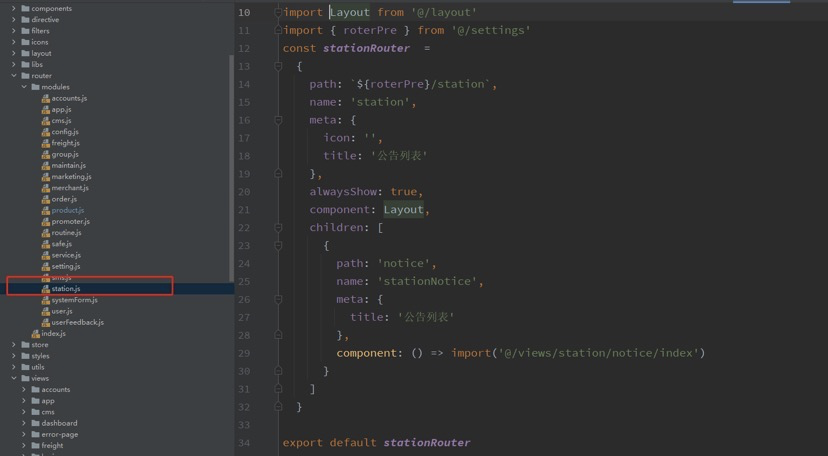
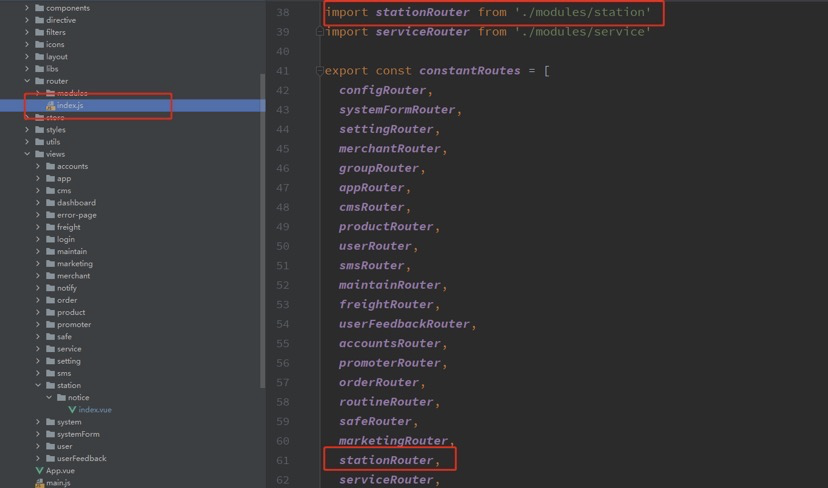
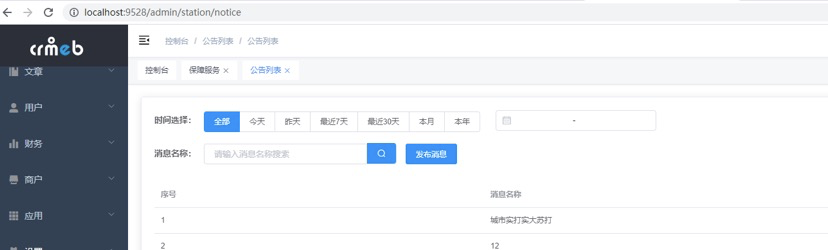
- 在router文件夹下的Index.js中导入

 {{cateWiki.like_num}}人点赞
0人点赞
{{cateWiki.like_num}}人点赞
0人点赞
评论({{cateWiki.comment_num}})
最新
最早
 {{cateWiki.page_view_num}}人看过该文档
{{cateWiki.page_view_num}}人看过该文档
评论(0)
最新
最早
2058人看过
2058人看过
登录/注册
即可发表评论

{{item.user ? item.user.nickname : ''}}
(自评)
{{item.content}}
大纲


搜索结果
为您找到{{wikiCount}}条结果
 {{item.page_view_num}}
 {{item.like ? item.like.like_num : 0}}
 {{item.comment ? item.comment.comment_num : 0}}

位置:
{{path.name}}
{{(i+1) == getCataloguePathData(item.catalogue).length ? '':'/'}}
{{item.page_view_num}}
{{item.like ? item.like.like_num : 0}}
{{item.comment ? item.comment.comment_num : 0}}